UX i design
Micro-Interactions - Jak małe detale zwiększają konwersję?
Button hover, loading states, success animations - drobne interakcje, które sprawiają, że użytkownicy kochają Twoją stronę. Guide z przykładami kodu.
Spis treści
- Czym są Micro-Interactions?
- 4 fazy każdej micro-interaction
- 1. Trigger (wyzwalacz)
- 2. Rules (zasady)
- 3. Feedback (informacja zwrotna)
- 4. Loops & Modes (pętle i tryby)
- Przykłady z kodem
- 1. Button Hover Effect
- 2. Loading State (React + Framer Motion)
- 3. Input Focus Animation
- 4. Like Button (Heart Animation)
- Kiedy używać micro-interactions?
- ✅ Zawsze dodawaj dla:
- ⚠️ Unikaj dla:
- Performance Tips
- 1. Używaj CSS Transforms zamiast position/size
- 2. Ogranicz animowane właściwości
- 3. Respektuj prefers-reduced-motion
- Biblioteki do micro-interactions
- 1. Framer Motion (najlepsza dla React)
- 2. Auto Animate (zero config)
- 3. GSAP (najbardziej zaawansowana)
- Case Study: E-commerce Checkout
- Design Principles
- 1. Subtelność > Efektowność
- 2. Spójność
- 3. Purposeful Animation
- 4. Performance First
- Checklist Micro-Interactions
- Podsumowanie
Użytkownik klika przycisk. Nic się nie dzieje – czy zadziałało? Frustracja rośnie. Opuszcza stronę.
Micro-interactions to właśnie te małe detale, które mówią użytkownikowi: "Widzę Cię, wszystko działa, spokojnie."
Czym są Micro-Interactions?
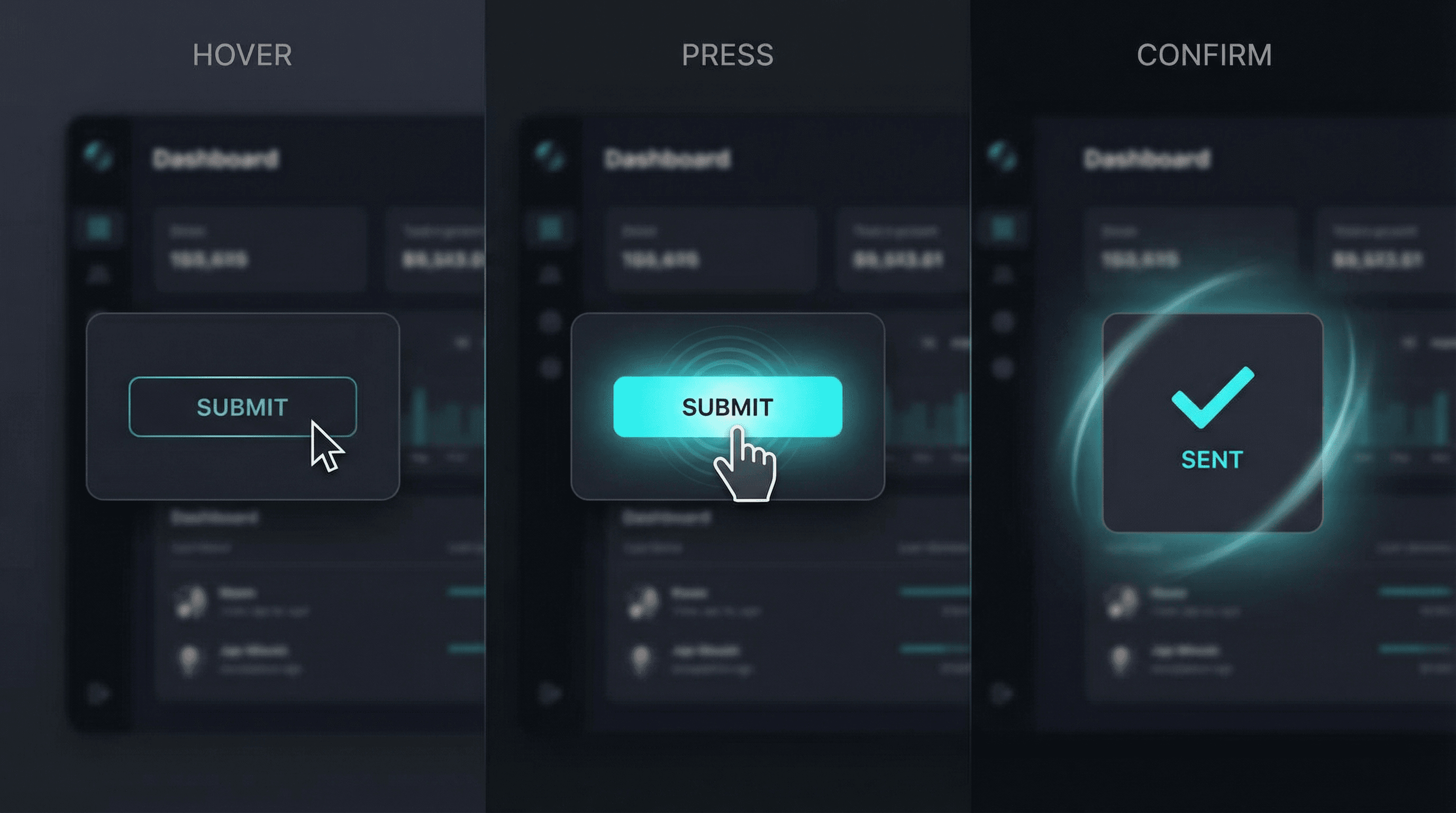
To subtelne animacje i feedback, które komunikują się z użytkownikiem podczas interakcji.
Przykłady:
- Button zmienia kolor przy hover
- Loading spinner po kliknięciu
- Checkmark po udanym zapisie
- Input border zmienia kolor przy focus
- "Like" button z animacją serca
- Progress bar przy upload
4 fazy każdej micro-interaction
1. Trigger (wyzwalacz)
Co inicjuje interakcję? Klik, scroll, focus, hover.
2. Rules (zasady)
Co się dzieje po trigger? Animacja, zmiana stanu, komunikat.
3. Feedback (informacja zwrotna)
Użytkownik widzi/czuje efekt. Visual, audio, haptic.
4. Loops & Modes (pętle i tryby)
Czy interakcja się powtarza? Czy ma różne stany?
Przykłady z kodem
1. Button Hover Effect
Bez micro-interaction (nudny):
button {
  background: #00d9ff;
  color: white;
}
Z micro-interaction (żywy):
button {
  background: #00d9ff;
  color: white;
  transition: all 0.3s ease;
  transform: scale(1);
}

button:hover {
  background: #00b8d9;
  transform: scale(1.05);
  box-shadow: 0 8px 16px rgba(0, 217, 255, 0.3);
}

button:active {
  transform: scale(0.98);
}
2. Loading State (React + Framer Motion)
'use client';
import { motion } from 'framer-motion';
import { useState } from 'react';

export default function SubmitButton() {
  const [loading, setLoading] = useState(false);
  const [success, setSuccess] = useState(false);

  const handleClick = async () => {
    setLoading(true);
    await submitForm();
    setLoading(false);
    setSuccess(true);
    setTimeout(() => setSuccess(false), 3000);
  };

  return (

      {loading && }
      {success && }
      {!loading && !success && 'Submit'}

  );
}
3. Input Focus Animation
input {
  border: 2px solid #e5e7eb;
  transition: all 0.3s ease;
}

input:focus {
  border-color: #00d9ff;
  box-shadow: 0 0 0 3px rgba(0, 217, 255, 0.1);
  outline: none;
}

/* Label animation */
label {
  transform: translateY(0);
  transition: all 0.2s ease;
}

input:focus + label,
input:not(:placeholder-shown) + label {
  transform: translateY(-24px);
  font-size: 12px;
  color: #00d9ff;
}
4. Like Button (Heart Animation)
'use client';
import { motion } from 'framer-motion';
import { useState } from 'react';
import { Heart } from 'lucide-react';

export default function LikeButton() {
  const [liked, setLiked] = useState(false);

  return (
    <motion.button
      onClick={() => setLiked(!liked)}
      whileTap={{ scale: 0.9 }}
    >


  );
}
Kiedy używać micro-interactions?
✅ Zawsze dodawaj dla:
- Form submission – loading state + success/error message
- Navigation – active link indicator, smooth scroll
- Data updates – saving indicator, sync status
- User actions – delete confirmation, undo option
- Errors – shake animation, clear message
⚠️ Unikaj dla:
- Critical actions (payment button nie powinien "tańczyć")
- Accessibility issues (niektórzy użytkownicy mają
prefers-reduced-motion) - Over-animation (każdy element animowany = chaos)
Performance Tips
1. Używaj CSS Transforms zamiast position/size
Wolno (reflow!):
.element:hover {
  width: 120px; /* ❌ Powoduje reflow */
  height: 40px;
}
Szybko (transform!):
.element:hover {
  transform: scale(1.2); /* ✅ GPU-accelerated */
}
2. Ogranicz animowane właściwości
Optymalne dla performance:
transform(translate, scale, rotate)opacity
Unikaj animowania:
width,heightpadding,margintop,left,right,bottom
3. Respektuj prefers-reduced-motion
@media (prefers-reduced-motion: reduce) {
  * {
    animation-duration: 0.01ms !important;
    animation-iteration-count: 1 !important;
    transition-duration: 0.01ms !important;
  }
}
Biblioteki do micro-interactions
1. Framer Motion (najlepsza dla React)
npm install framer-motion
Przykład:
import { motion } from "framer-motion";

Content;
2. Auto Animate (zero config)
npm install @formkit/auto-animate
Przykład:
import { useAutoAnimate } from "@formkit/auto-animate/react";

const [parent] = useAutoAnimate();

{
  items.map((item) => {
    item.name;
  });
}
3. GSAP (najbardziej zaawansowana)
Dla complex animations, timeline sequences.
Case Study: E-commerce Checkout
Przed:
- Brak loading state na "Place Order"
- Bounce rate na checkout: 34%
- Użytkownicy klikali przycisk 2-3 razy (myśleli, że nie działa)
Po dodaniu micro-interactions:
- Loading spinner na przycisku
- Progress bar (5 kroków checkout)
- Success checkmark po każdym kroku
- Error shake animation przy błędach
- Smooth scroll do błędnych pól
Rezultaty:
- Bounce rate: 34% → 18%
- Double-clicks eliminated: -87%
- Konwersja: +12%
Design Principles
1. Subtelność > Efektowność
Micro-interactions powinny być ledwo zauważalne, ale ich brak powinien być odczuwalny.
Źle: 2s animacja przy każdym kliknięciu
Dobrze: 0.2-0.3s subtelna zmiana
2. Spójność
Wszystkie przyciski powinny zachowywać się podobnie.
3. Purposeful Animation
Każda animacja musi mieć cel (feedback, guidance, delight).
4. Performance First
Wolna animacja gorsza niż brak animacji.
Checklist Micro-Interactions
✅ Button hover states (wszystkie interactive elements)
✅ Loading indicators (forms, data fetch)
✅ Success/Error feedback (visual + message)
✅ Input focus styles (wyraźne, accessible)
✅ Smooth page transitions
✅ Skeleton loaders (zamiast spinners dla content)
✅ Empty states z pomocnym CTA
✅ Undo actions dla destructive operations
✅ Progress indicators (multi-step forms)
✅ Prefers-reduced-motion support
Podsumowanie
Micro-interactions to różnica między "działa" a "uwielbiam to używać". W 2026 użytkownicy oczekują płynnych, responsywnych interfejsów. Brak feedbacku = frustracja = bounced user.
W Netova każdy projekt testujemy pod kątem UX micro-interactions. Małe detale = wielka różnica.